Forwarding
4Local, remote, dynamic SOCKS, and gateway rules for services, databases, web UIs, and operational endpoints.
F1REFlY product
SSH tunnels, local ports, and diagnostics in a native macOS interface.
Tunello helps developers and operations teams manage tunnels, routes, snippets, workspace launches, and checks without manually assembling long SSH commands.
Developer: F1REFlY
process
A typical flow starts from a service or text description: Tunello builds a tunnel draft, shows the route, checks risk, and only then brings access up.
$ create tunnel -> review route -> approve safety -> connect -> use snippet
Create a tunnel manually, from a recipe, Docker source, or short text description.
Review server, identity, forwarding rules, topology preview, and snippets before connecting.
Connect immediately or leave an on-demand listener that wakes on the first TCP request.
Start a workspace, copy a connection snippet, or launch a client with the endpoint already prepared.
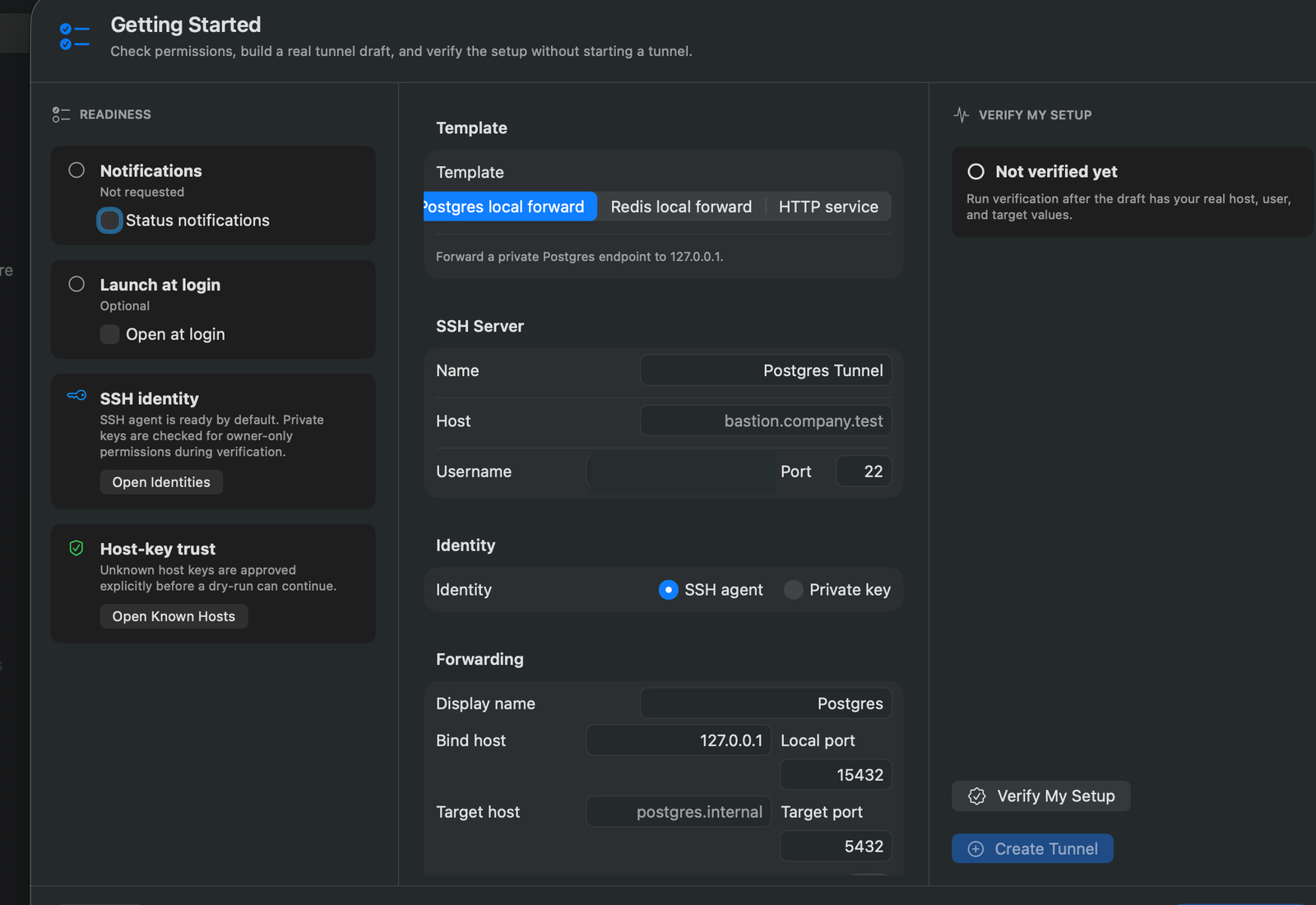
Getting Started prepares a tunnel draft and shows permissions, SSH identity, host-key trust, and verification before saving.
product surface
Tunello does not reduce SSH to one switch. It combines forwarding modes, gateway routes, workspaces, snippets, diagnostics, and safety policies so access stays understandable.
forwarding modes
working surfaces
known_hosts policy
Local, remote, dynamic SOCKS, and gateway rules for services, databases, web UIs, and operational endpoints.
A listener accepts the local TCP request, starts a hidden SSH backend port, and sleeps after the idle policy.
One local gateway host can route to several services through readable route rules.
Grouped tunnel launches with production confirmation, favorite ordering, and controlled stop policy.
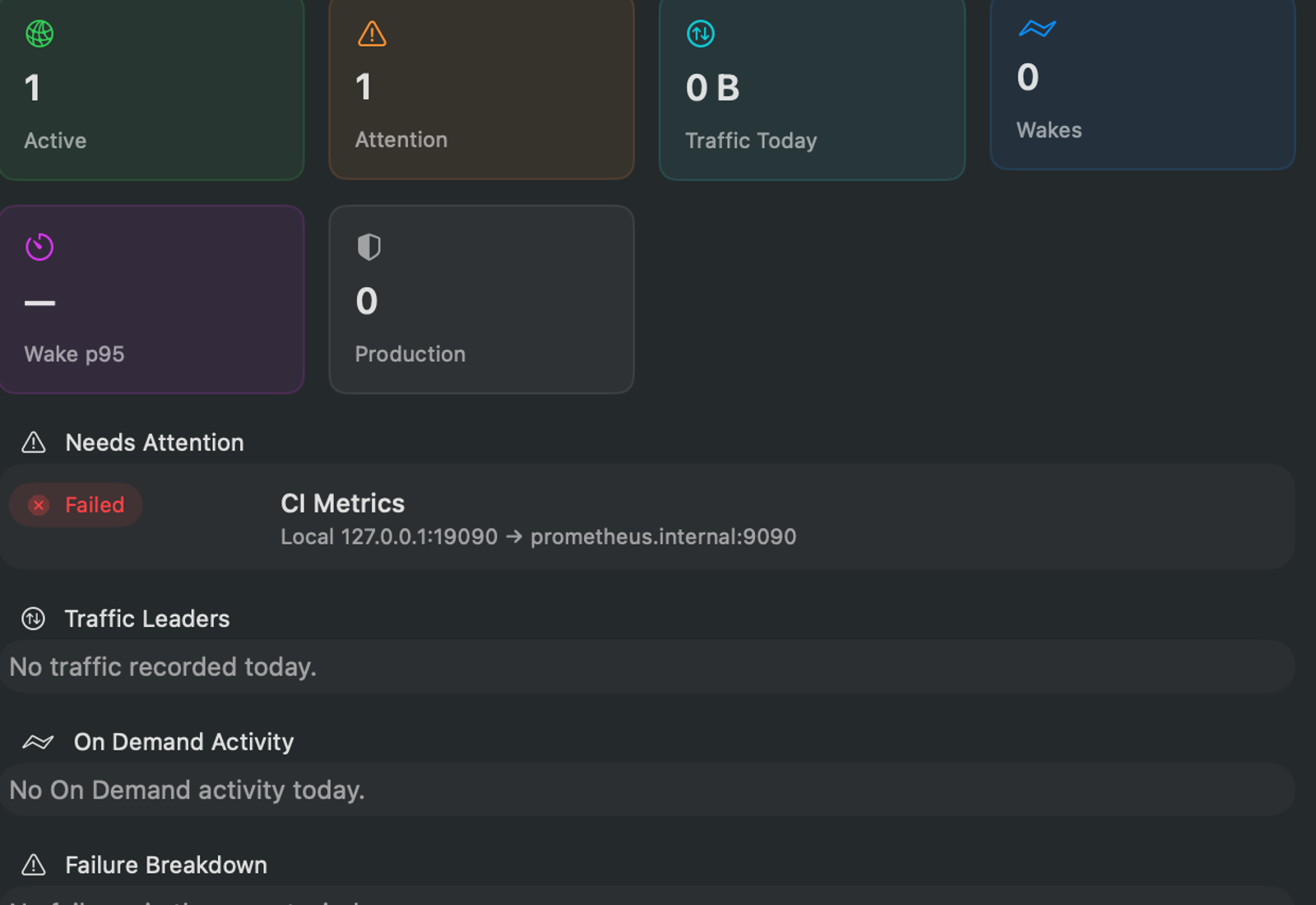
Port Doctor, health checks, logs, and topology help show exactly where access broke.
Strict known_hosts, explicit host-key approval, safe backups, and configuration without private keys.
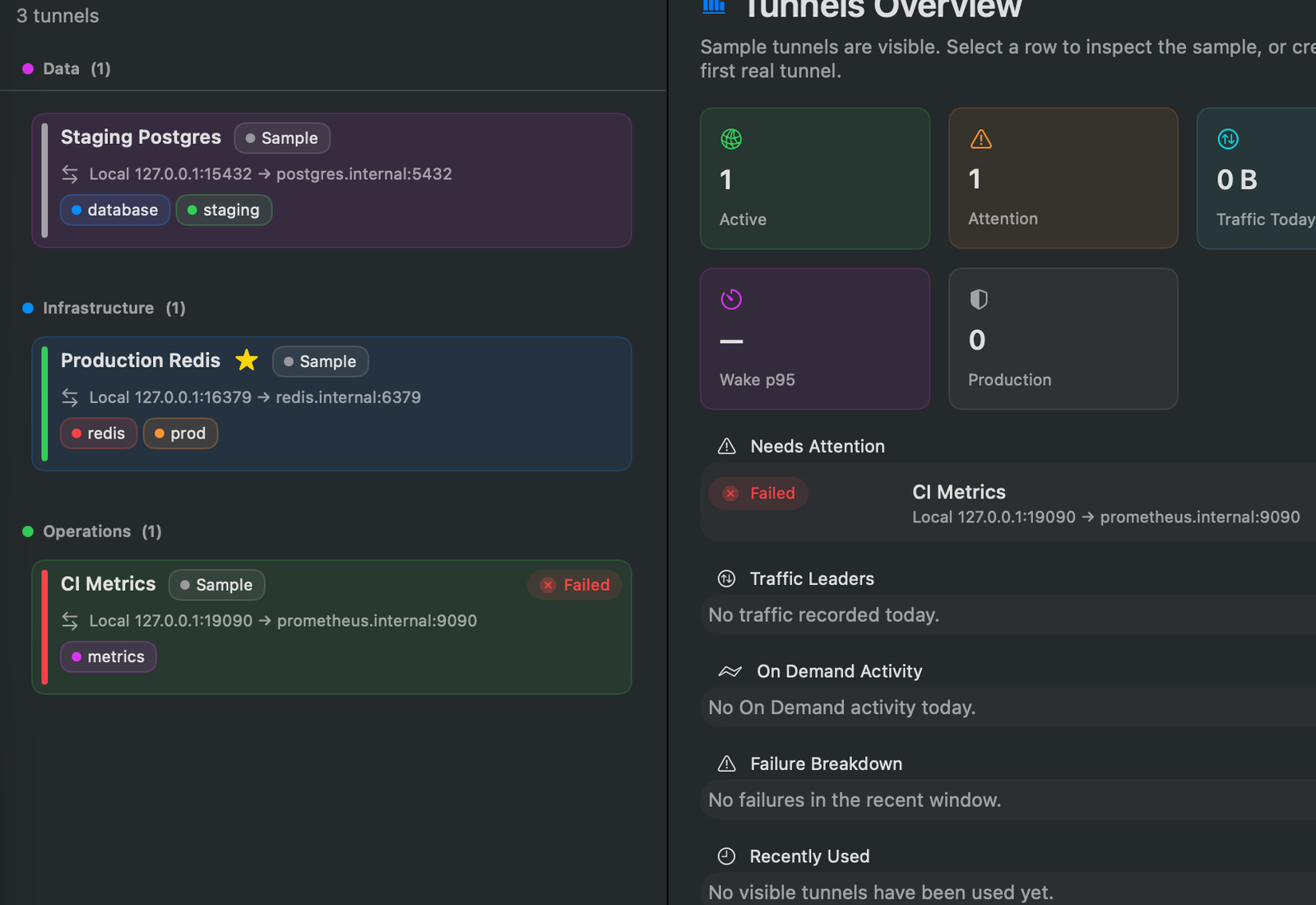
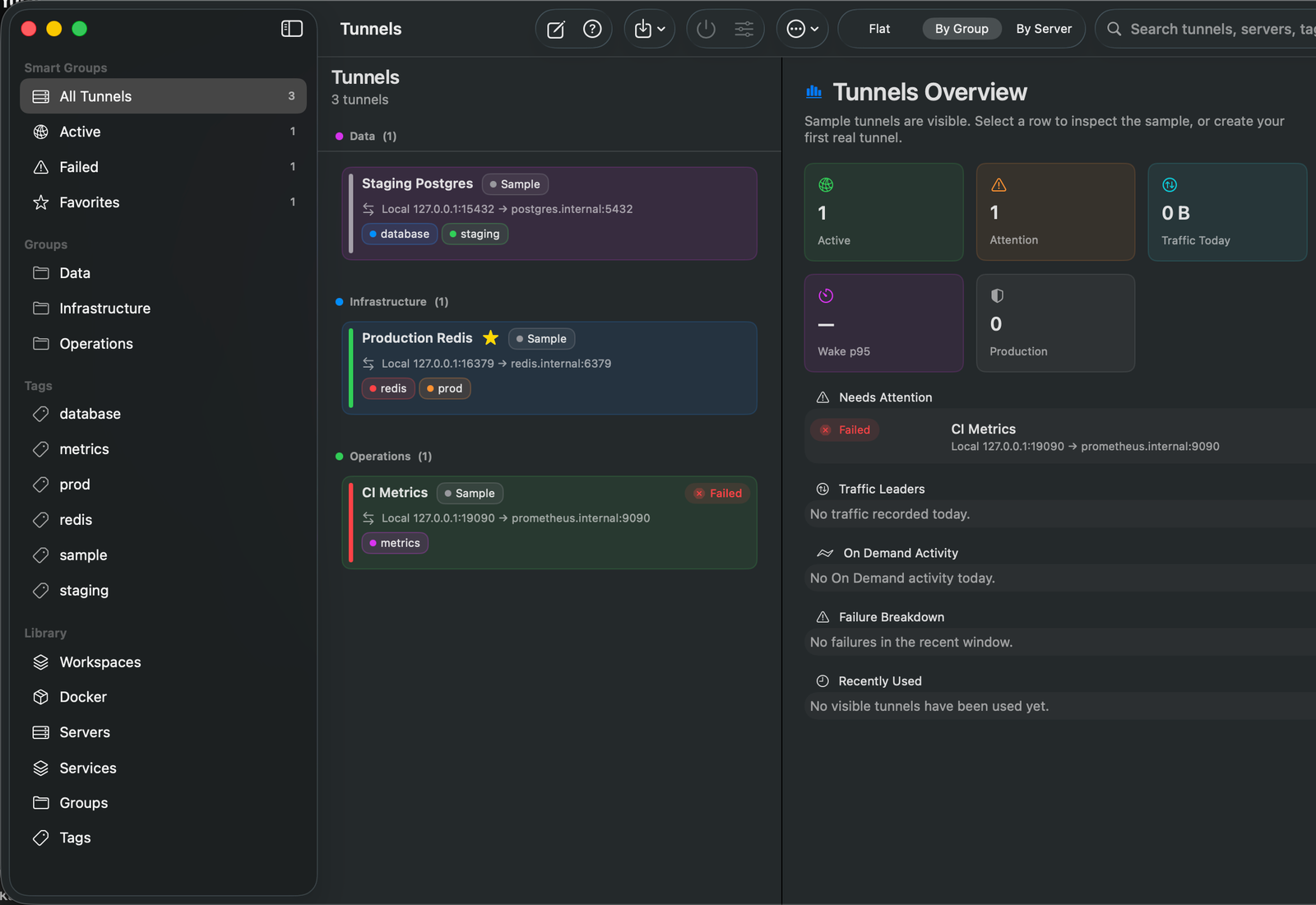
The list shows bind host, local port, target host, tags, and tunnel state without reading raw SSH flags.
capabilities
Tunello removes repetitive SSH work while keeping the engineer in control: what opens, through which bastion, on which port, and with which risks.
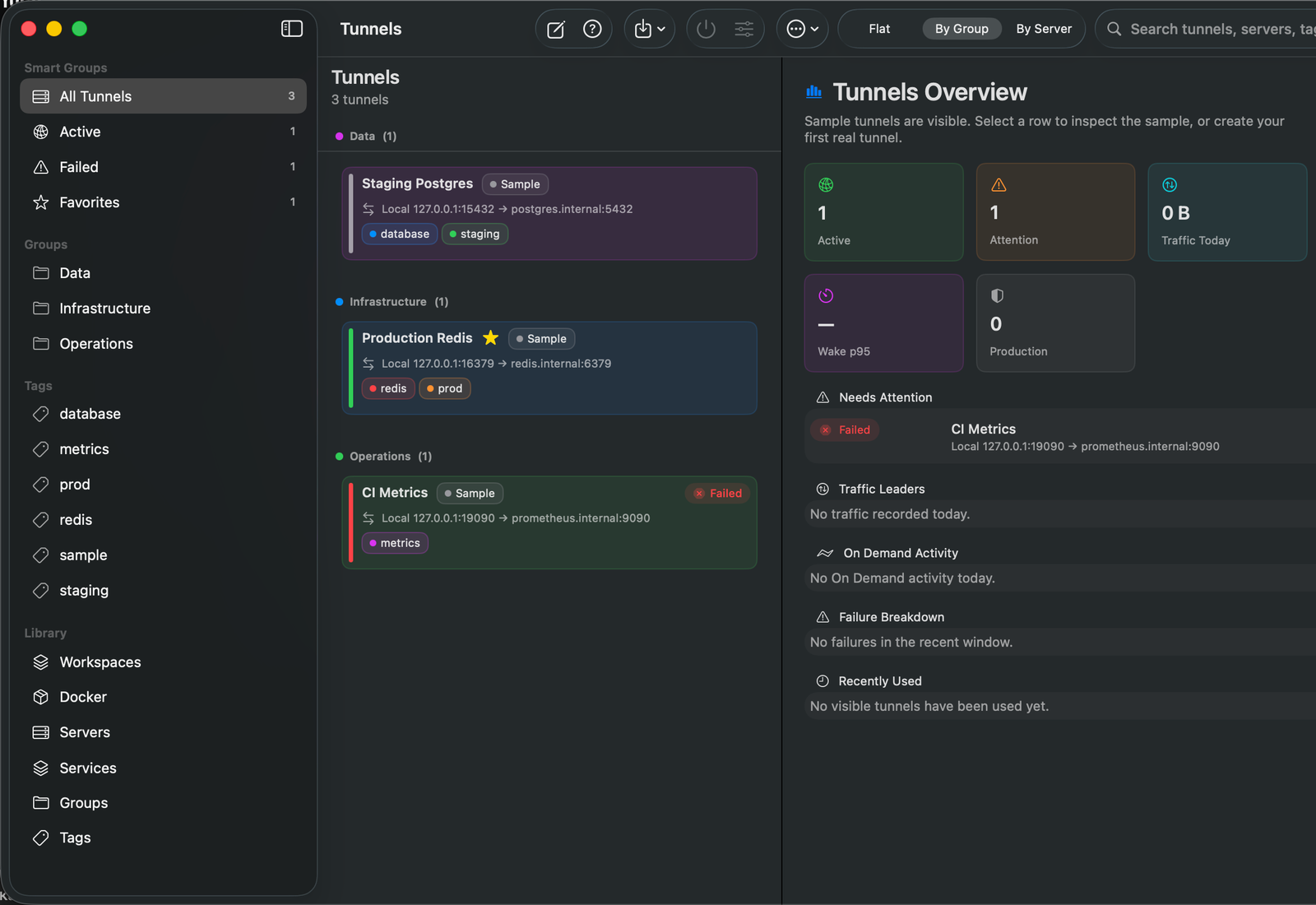
The manager keeps groups, tags, service routes, selected tunnel details, and connection state in one desktop window.
Quiet menu bar control
Connections, search, statuses, snippets, and quick actions live in the menu bar, while the full manager opens when context is needed.
Topology instead of SSH flags
Each forward is shown as a route from local endpoint to remote service, including proxy jumps, on-demand behavior, and gateway hops.
On-demand access
A tunnel does not need to keep an SSH process running all the time: the local listener wakes the backend only on real traffic.
Snippets and app launch
For Redis, Postgres, HTTP, SOCKS, and other routes, Tunello prepares URIs, env vars, CLI commands, and client launch actions.
Diagnostics next to the tunnel
Port Doctor, health checks, and redacted logs show the occupied port, process owner, suggested port, and route state.
Team-safe configuration
Backup and team workspace bundles move safe metadata without private keys, passphrases, or raw known_hosts bodies.
execution control
Tunello requires explicit host-key approval, uses strict known_hosts, shows production confirmations, and keeps secret material out of backups and team bundles.
F1REFlY
Email F1REFlY to see a demo, discuss team workflow, or check how Tunello fits your dev, staging, and production tunnels.