Communication
2Email header and address transforms for everyday communication tasks.
F1REFlY product
Commands, Chains, and snippets in one window.
Tersa opens over your current app, finds the action you need, runs a multi-step Chain, shows parameters and required access, then returns the result to your workspace.
Developer: F1REFlY
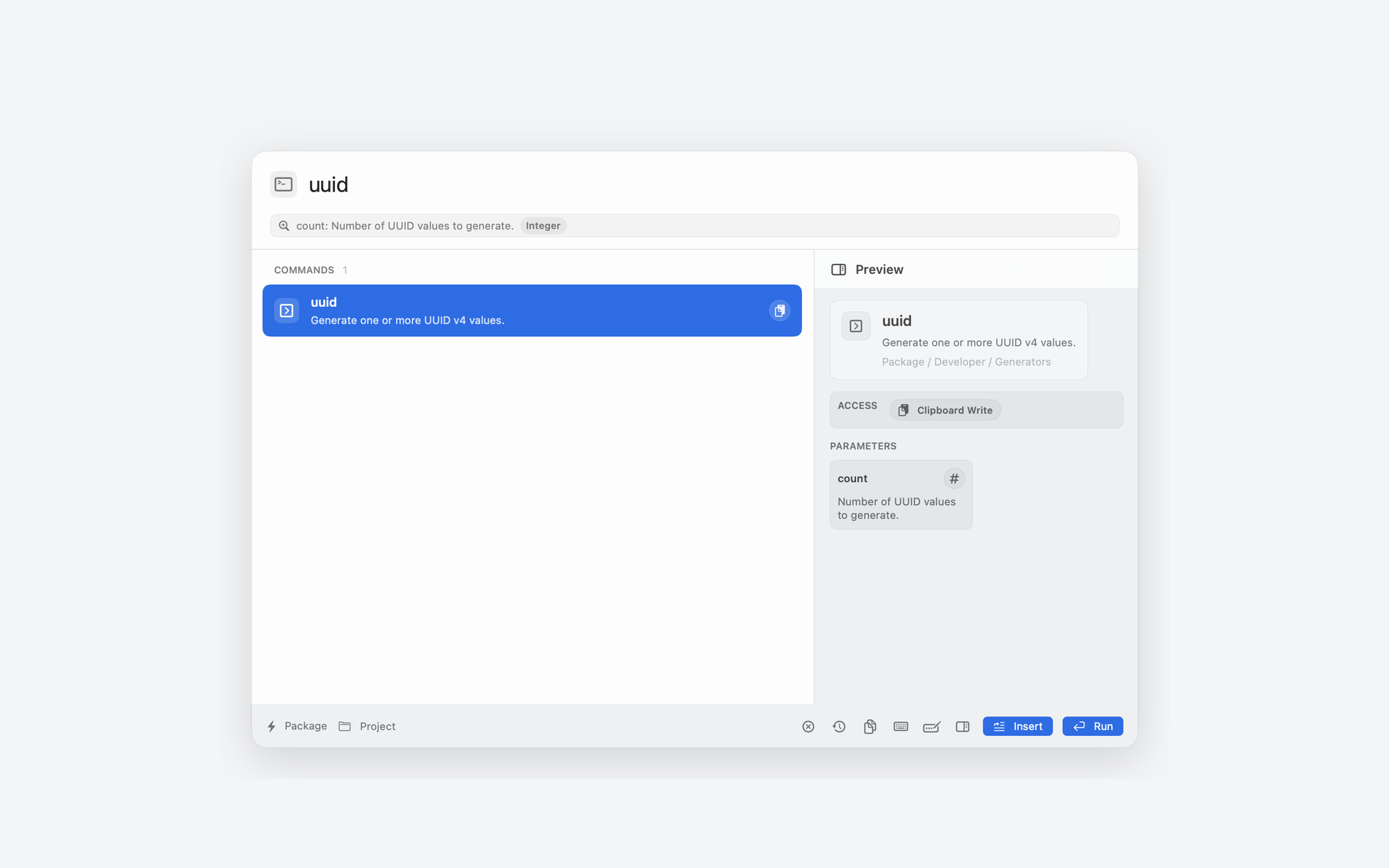
process
Tersa works with individual commands and Chains: find an action or assemble a sequence, review parameters and permissions, then run the whole workflow.
$ open palette -> choose command or chain -> preview -> run -> insert
Open Tersa with a global shortcut over the current app.
Find one command or assemble a Chain from several compatible steps.
Check arguments, step order, preview, and required permissions before execution.
Run the command or the whole Chain; text output from one step becomes input for the next.
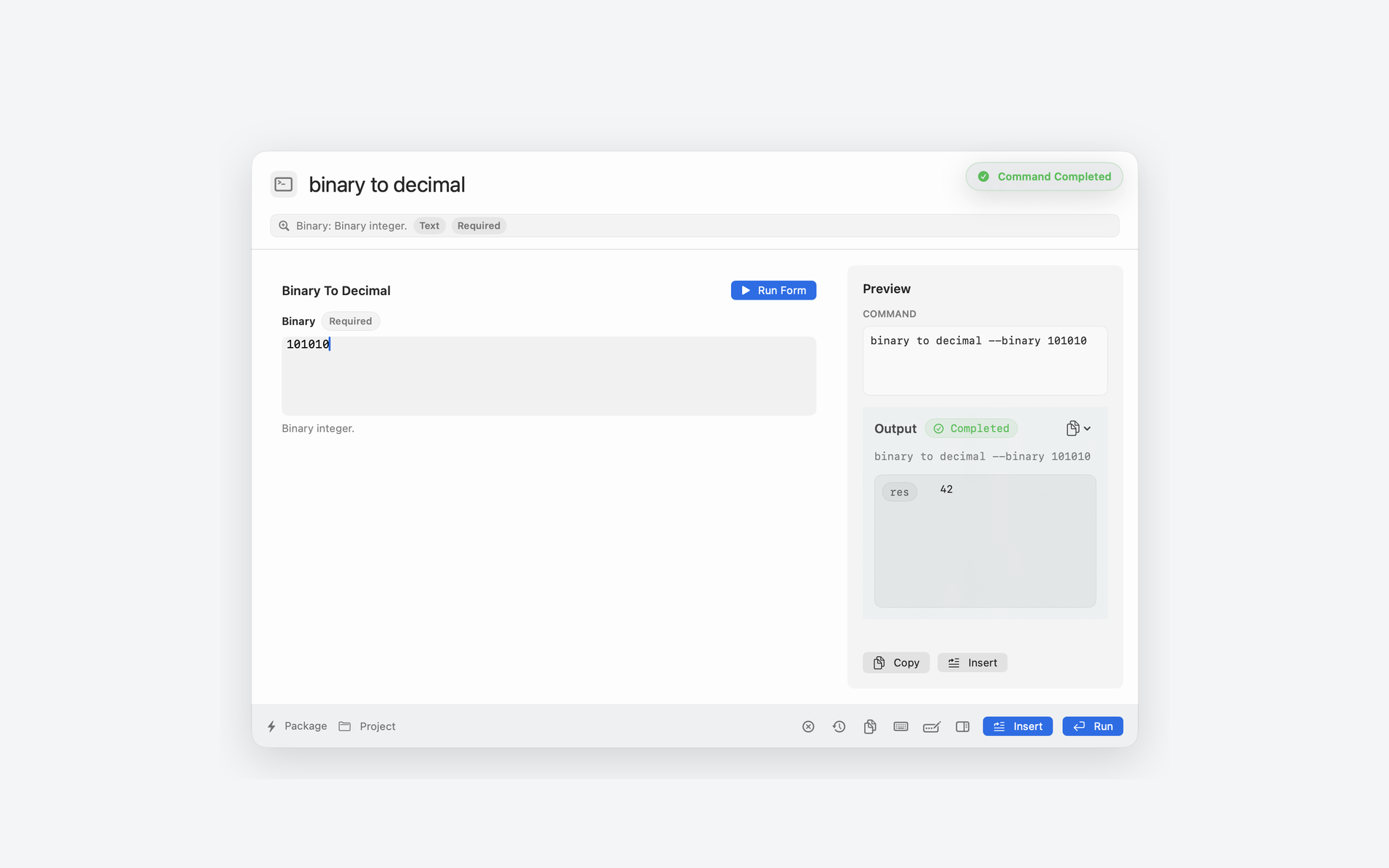
Command fields are edited as a form while the built query and output stay visible next to it.
command catalog
Tersa does not start as an empty input. Direct ships with the complete 218-command catalog. Mac App Store ships with 200 native commands and no shell, MCP, custom JavaScript, or executable-code import.
Direct commands
native Store commands
categories
command groups
Email header and address transforms for everyday communication tasks.
JSON, SQL, CSV, encoding, environment variables, identifiers, numbers, and query strings.
Case conversion, lines, counts, escaping, whitespace, markdown, normalization, and simple ciphers.
Git, Docker, release notes, semver, package metadata, regex, formatting, and minify commands.
JWT, hashes, checksums, secrets, redaction, passwords, tokens, and entropy checks.
AWS, Kubernetes, logs, local processes, ports, disk usage, file type, and paths.
HTTP, cURL helpers, headers, status codes, IP, CIDR, and basic network transforms.
URL encode/decode, HTML encode/decode, and HTML entity work.
Date conversion to timestamp and UTC formats.
iOS and Android localization string conversion.
Hex color conversion to RGB.
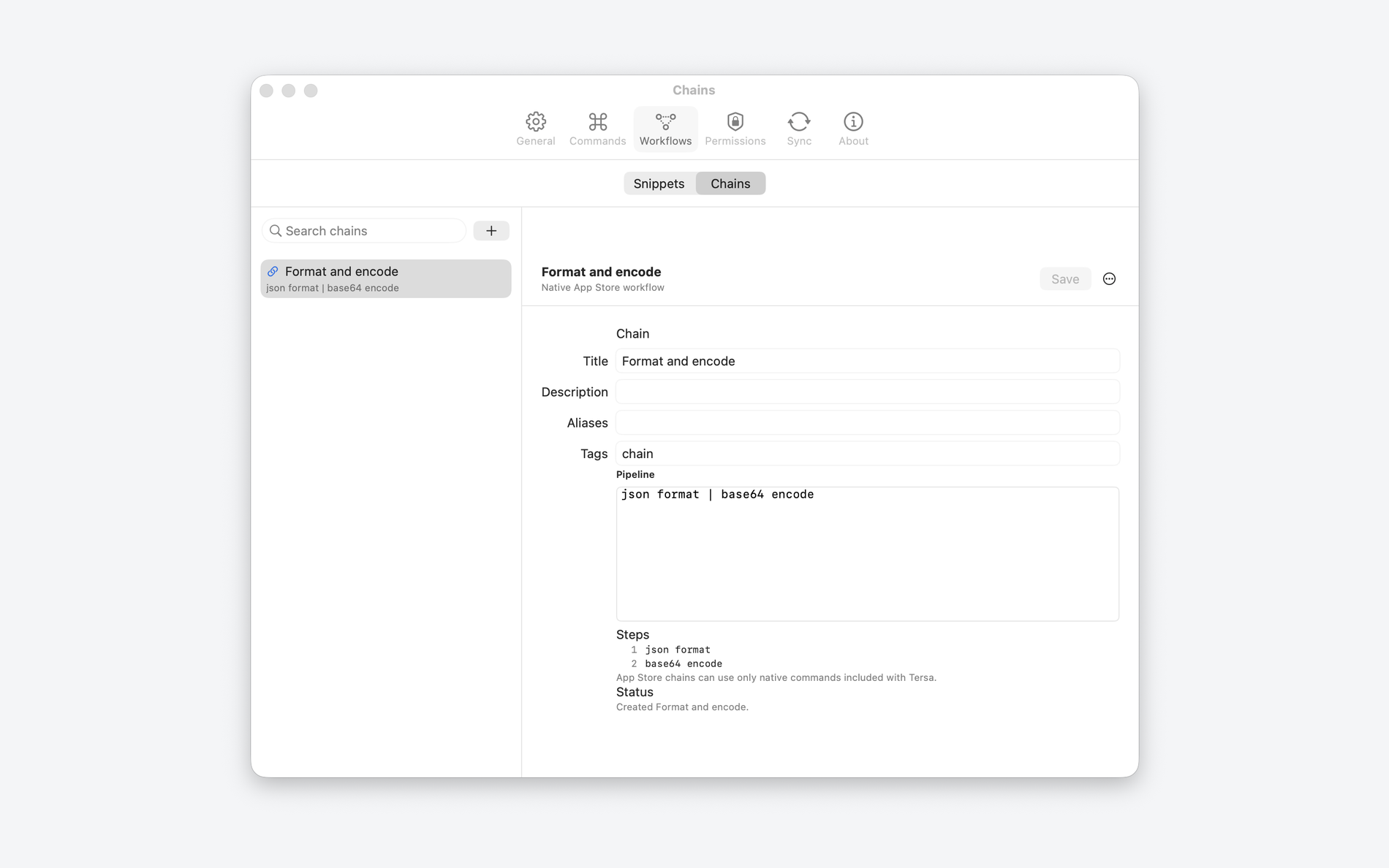
Workflows keep reusable text and native commands combined into a safe repeatable sequence.
capabilities
The Tersa main window connects search, multi-step Chains, parameter forms, preview, approvals, and reuse into a clear command process.
Tersa shows available commands, arguments, categories, required access, and a preview before anything runs.
One working window
Search, parameters, preview, permissions, and command execution stay together without opening settings first.
Ready commands
Text, data, Git, Docker, AWS, SQL, and daily developer commands are available from search.
Forms instead of manual assembly
Complex parameters can be filled as form fields while the generated query remains visible before execution.
Chains for multi-step workflows
Join compatible commands with |, pass text output between steps, and save the pipeline as a reusable Chain. Store Chains use only native sandbox-safe steps included in that build.
Approval prompts
In Direct, shell, network, filesystem write, secrets, and AI access require a separate confirmation. The Store build contains no arbitrary shell execution.
Snippets in search
Snippets use the same window, with variables, project defaults, and insertion into the active app.
History, import, and sync
Repeat recent commands and move eligible configuration through manual JSON or opt-in iCloud. Manual folder, ZIP, or GitHub import is available only in Direct.
execution control
Before a risky action, Tersa shows what will run, which access is required, what can be checked first, and which grants can be revoked.
F1REFlY
Review build 14 status, privacy, and support information. There is no public download, external TestFlight, or App Review submission.